Blog
Home Office Ideas: How to Design and Lay Out Your Space

Key takeaways
- Measure your room, windows and sockets first, then choose a desk that fits the space rather than the other way round.
- Place your home office desk side-on to the window to cut screen glare, and leave around 90cm behind your chair.
- A supportive chair, a monitor at the right height and good task lighting matter more than any decorative extra.
- Bookcases, desks with drawers and Pouffes keep clutter off the desk and make small spaces work harder.
- In a bedroom or living room, choose compact or multi-use pieces and a setup you can close away at the end of the day.
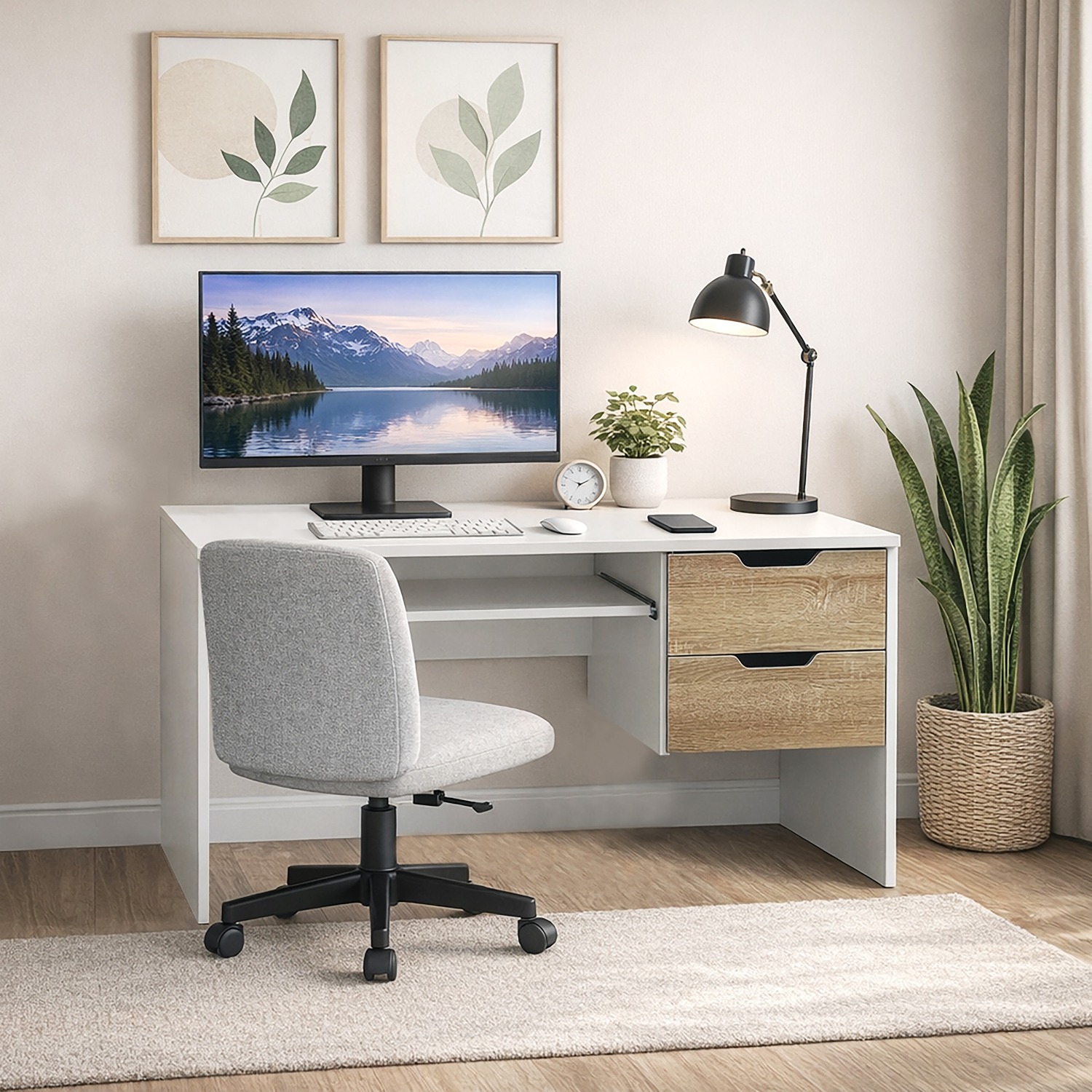
The best home office ideas start with the room you have: measure the space, pick a desk that fits it, place the desk side-on to a window, and leave room to move around. Add a supportive chair, good lighting and tidy storage, and even a box room or bedroom corner can work well.
If you’re working from home a few days a week, or every day, a considered setup makes the hours more comfortable. Here’s how to design and lay out a home office step by step.
How do you assess your space before planning home office ideas?
Before you look at furniture, spend ten minutes with a tape measure and a notepad. Good planning here saves you returning anything later.
- Measure the room and note the width of doorways, hallways and stairs, so you know what can be delivered and carried in.
- Check the light. Note where your windows are and where the sun hits the room in the morning and afternoon.
- Count your sockets. A laptop, monitor, lamp and phone charger add up quickly. If you need extra sockets, ask a registered electrician rather than relying on long extension leads.
- Think about noise and temperature. A room next to a busy kitchen or without a radiator will feel different at 2pm in January.
For a sense of scale, one UK design guide suggests that a typical 2.4m x 2.4m box room can fit a 1,200mm desk, a chair and a narrow storage unit (Shutterworld). It’s a useful benchmark if you’re working with a small room.
If you like to see things on paper, sketch a simple floor plan first. RoomSketcher’s floor plan guide shows how to try out layouts before you buy anything.
What size and shape of home office desk do you need?
Your home office desk is the anchor of the room, so choose it first. The right size depends on what you do all day. A laptop and notebook need far less surface than two monitors, a printer and paperwork.
Browse our Desks to compare sizes, finishes and drawer options. If you’re setting up a full workspace, the Home Office range brings desks, chairs and storage together.
| Desk type | Typical width | Best for | Trade-off |
|---|---|---|---|
| Compact desk | 90-120cm | Laptop work, box rooms, bedroom corners | Limited space for a second screen or papers |
| Standard straight desk | 120-140cm | Monitor plus laptop, everyday full-time work | Needs a clear wall to sit against |
| Corner or L-shaped desk | 140-160cm per side | Dual screens, paperwork and a separate work zone | Takes up more floor area |
| Desk with drawers | 110-140cm | Keeping paperwork, chargers and stationery out of sight | Drawer units reduce legroom on one side |
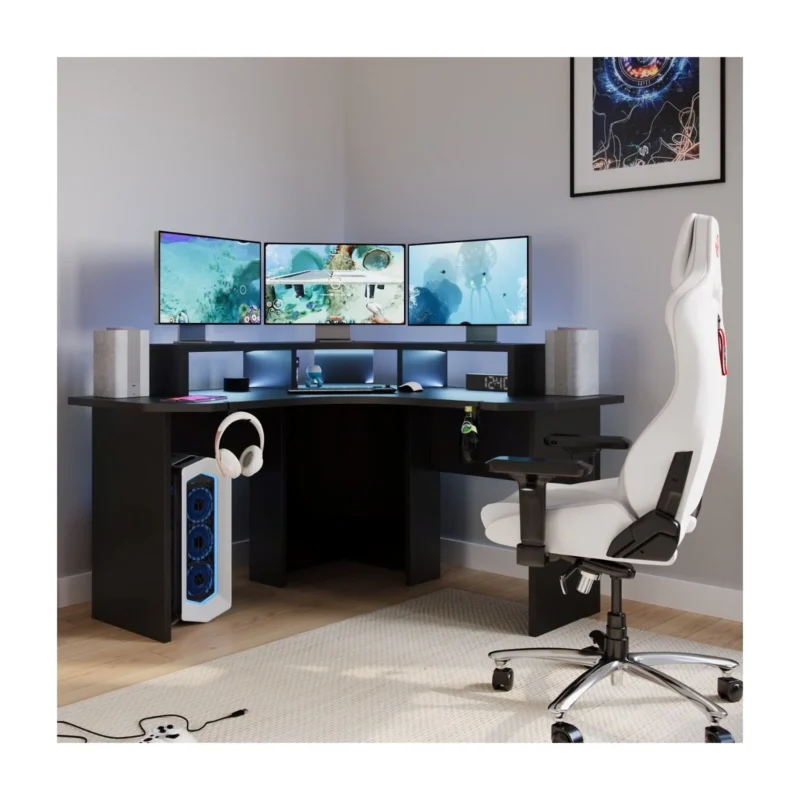
If you want built-in storage, a desk such as the Madrid Desk with 3 Drawers in white keeps everyday items close without needing a separate cabinet. If you game as well as work, take a look at our Gaming Desks too.
How do you lay out a home office?
Once you know the desk size, the layout comes down to light, access and sightlines. These simple rules work in most rooms.
- Put the desk side-on to the window. Facing the window can leave glare on your screen, while having your back to it puts reflections behind you. Side-on gives you daylight without the squint.
- Keep a clear path. Allow at least 90cm behind your chair so you can push back and stand up easily. Renovate with Reno gives the same guidance.
- Sit near a socket. Placing the desk close to power keeps cables short and out of walkways.
- Think about your background. If you take video calls, a tidy wall or bookcase behind you looks more professional than an unmade bed or a busy hallway.
- Keep frequently used items within arm’s reach and put the rest on shelves or in drawers.

What is the best home office setup for comfort?
A good setup is about your body as much as your furniture. You don’t need anything fancy, but a few adjustments make a real difference over a full day.
Chair height and posture
Choose a chair with adjustable height so your feet rest flat on the floor and your knees sit at roughly a right angle. Your elbows should be about level with the desk. Our Office Chairs include swivel options with height adjustment, such as the Winslow Swivel Desk Chair.
Monitor position
Place the screen about an arm’s length away, with the top edge at or just below eye level. If you use a laptop for long periods, a stand and a separate keyboard help you avoid hunching.
Lighting
Use daylight where you can, then add a task lamp so you’re not relying on a single ceiling light. A lamp on the opposite side from your writing hand avoids shadows. Our Table Lamps can double as warm evening light for a room that also serves another purpose.
Cable tidiness
Group cables with ties or a cable tidy, run them along the back of the desk, and keep them off the floor. It looks neater, and there’s less to trip over or tug loose.
What storage ideas work best in a home office?
Storage is what keeps a work area feeling like an office rather than a pile of paper on a table. Think vertical first, then hidden.
- Bookcases: a tall, narrow Bookcase uses wall height and takes very little floor space. It also doubles as a backdrop for video calls.
- Drawers: a desk with drawers, or a small chest beside it, hides chargers, notebooks and stationery.
- Shelving: wall shelves above the desk free the surface for your screen and keyboard.
- Pouffes: a Pouffe can tuck under a desk as a footrest or pull out as extra seating for a visitor, and some open up for hidden storage.
Keep one rule in mind: only what you use daily stays on the desk. Everything else gets a home.
How do you fit a home office into a bedroom or living room?
Not everyone has a spare room, and that’s fine. A small workspace can sit neatly in a bedroom corner, an alcove, or one end of a living room.
- Choose compact or multi-use pieces. A slim desk, a fold-away option or a console table that doubles as a workspace takes up less room.
- Create a visual break. A bookcase, screen or curtain between your desk and the rest of the room helps you switch off at the end of the day.
- Use the wall. Shelves and wall-mounted storage keep the floor clear.
- Make it easy to close away. If you share a living space, a desk with drawers lets you tidy everything out of sight in a couple of minutes.
- Avoid working from the bed. A small desk and a proper chair are better for your back and for keeping work and rest separate.
How do you make a home office feel calm and professional?
Once the practical bits are in place, a few finishing touches make the space somewhere you actually want to be.
Keep colours calm. Soft neutrals, muted greens or light greys help a room feel open. If your room is small or dark, lighter shades make it feel larger. Add a single accent colour rather than several.
Add a few personal accessories. A plant or vase from our Vases & Planters range adds life to a shelf, while a framed print or a pair of Bookends gives the space character without clutter.
Choose texture with care. A cushion on a reading chair or a small rug underfoot softens hard surfaces and helps absorb some sound.
Less is usually more. Three or four well-chosen Home Accessories look better than a crowded shelf.
Home office setup checklist
- Measure the room, doorways and stairs.
- Note window positions and plan for side-on daylight.
- Check socket locations and plan cable routes.
- Choose a desk size to match your equipment.
- Leave about 90cm clearance behind your chair.
- Set the chair so feet are flat and elbows are level with the desk.
- Position the monitor at arm’s length, top edge at or just below eye level.
- Add a task lamp.
- Plan storage: Bookcase, drawers or shelving.
- Finish with calm colours and a few accessories.
Ready to build your workspace?
A comfortable home office doesn’t need a lot of space, just a sensible plan. Measure first, choose a desk that suits the way you work, and add storage and lighting that keep things tidy and easy on the eyes. Our Desks, Bookcases and Home Accessories are all available with free UK Mainland delivery.
Browse the full Furnmart range of Beds, Mattresses, Sofas and Furniture, with delivery across UK Mainland and Multiple Payment Options.
Frequently asked questions
How much space do you need for a home office?
Less than you might think. A typical 2.4m x 2.4m box room can fit a 1,200mm desk, a chair and a narrow storage unit. What matters most is leaving enough room behind your chair, around 90cm, so you can move comfortably.
Can you set up a home office in a bedroom?
Yes. Choose a compact desk, place it away from the bed if you can, and use a bookcase or screen to separate the work area from the sleeping area. A desk with drawers helps you clear everything away at the end of the day.
Where should a desk go in a room with a window?
Place it side-on to the window. This gives you natural light without glare on your screen or reflections behind you. If the window is the only free wall, blinds or curtains help control brightness.
What colours are best for a home office?
Soft neutrals, light greys and muted greens create a calm, focused feel and make smaller rooms seem larger. Keep the main scheme simple and add personality through a few accessories such as vases, plants or wall art.
How do you keep cables tidy in a home office?
Group cables with ties, run them along the back of the desk and use a cable tidy or a multi-socket extension fixed out of the way. Position your desk near a socket so cables stay short and off the floor.
Do you need a desk with drawers?
Not always, but it helps in a small or shared space. Drawers hide paperwork, chargers and stationery, which keeps the surface clear and makes it easy to tidy up when your workspace is also part of a bedroom or living room.